Brazil Visa Photo Online
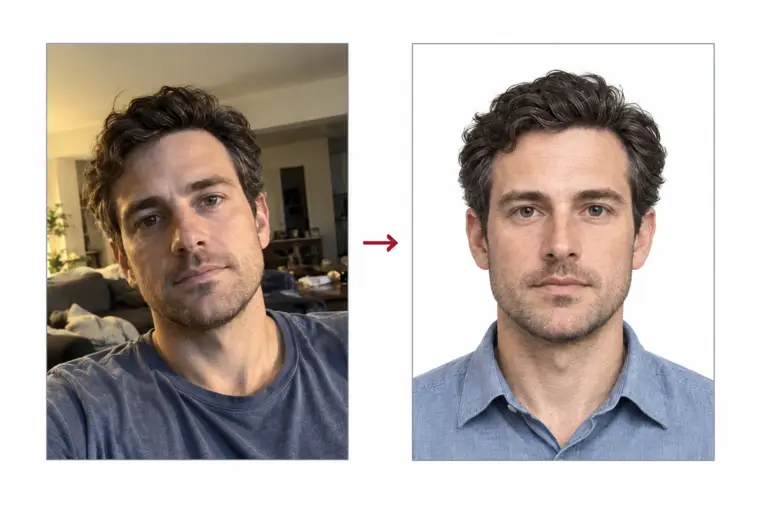
The Brazilian eVisa is requested entirely online, and the form wants one digital portrait photo in a fixed size. Send us a photo from your phone: we cut it to the 413 × 531 pixel visa photo size, turn the background white and check where your head sits, so the photo is ready for the online upload.
| Size | 413 × 531 px |
|---|---|
| Head height | 70 % |
| Background | white |
| File size | up to 300 KB |
| Use | digital upload |
Brazil visa photo size and file rules
The online Brazil visa form takes a portrait photo of 413 pixels wide by 531 pixels high. The photo is taller than it is wide, so a square photo of the US 2 × 2 inch kind does not match the online size. The photo file must stay at or below 300 KB, and the visa photo has to be in colour, not black and white.
- Photo size: 413 × 531 px, portrait
- File size: 300 KB or less, JPEG
- Head size: roughly 70% of the photo height, chin to top of the hair
- Gap above the hair: about 5% of the photo height
- Background: even white
We export every Brazil visa photo at exactly this size and keep the file light, so you never have to resize the photo or compress it yourself. An unedited phone picture is thousands of pixels wide and often several megabytes, far above the online limit, which is why a ready visa photo saves time.
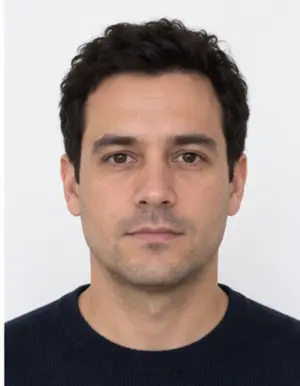
Framing: where your head should be in the visa photo
Look straight at the lens with your face in the middle of the photo. The whole head must be visible, from the chin up to the top of the hair, with a little white space above it. Both ears and the top of the shoulders should show in the visa photo. A head that is tilted, turned or cut off at the edge is the usual reason the online portal asks for another photo.
The head size matters as much as the photo size. If you stand too far away, your face fills only a small part of the visa photo; too close, and the crop cuts the hair or chin. Our tool measures the head and scales the photo so it fills about 70% of the height.
Background, light and what to wear
The background of a Brazil visa photo has to be plain white. Grey walls, cream paint or a visible shadow behind you will not pass, but you can shoot the photo against any light wall: our tool swaps it for clean white. Stand facing a window so daylight falls evenly on both sides of your face.
Take off your glasses. The eVisa checklist does not allow them, and it does not allow hats or other head coverings either. Choose a top in a darker colour so your shoulders do not blend into the white, keep a neutral face and close your mouth.
-
 Accepted
-
 Accepted
-
 Smiling
-
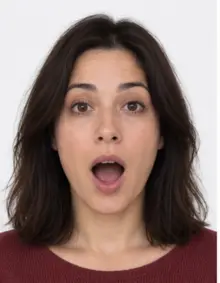 Mouth open
-
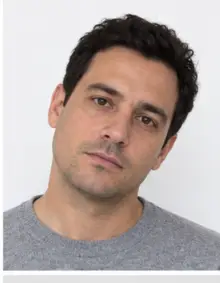 Head tilted
-
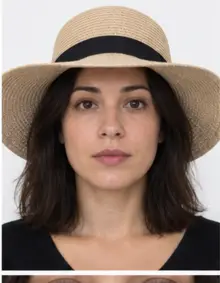 Fashion hat
-
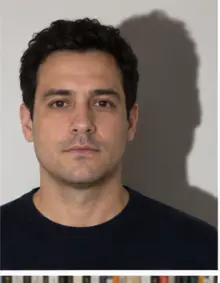 Shadow behind
-
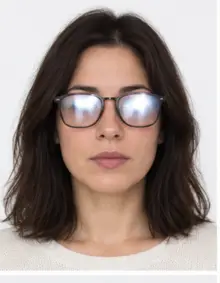 Glare on glasses
-
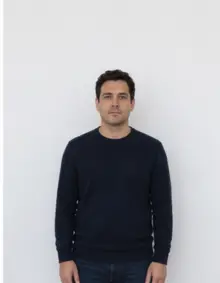 Too far away
-
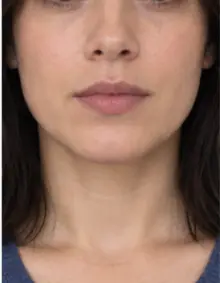 Head cut off
-
 Busy background
-
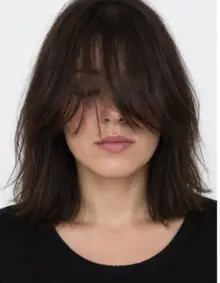 Hair over eyes
The people in these examples are AI-generated.
Making your Brazil visa photo online with our tool
- Shoot. Ask a friend to take the photo at eye level from a metre or two away, or prop the phone up and use the timer.
- Upload. Pick Brazil visa online in the form above and send the JPG, PNG, HEIC, PDF or other image file.
- Check. We crop the photo to the visa size, set the white background and run the compliance check on head size, position and file weight.
- Download. Save the digital visa photo and attach it to your online visa application.
The whole process happens online in your browser and takes a few seconds per photo. If the check flags something it cannot fix, such as closed eyes or glasses, take a new photo and upload it again.
Where to submit the online visa photo
From 10 April 2025, Brazil again requires a visa from travellers with US, Canadian or Australian passports who come for tourism or business. They apply on the official Brazilian eVisa website, with no consulate visit. The visa photo is uploaded inside that online form, together with a scan of the passport information page. There is nothing to print on this route: the online visa photo is a digital file only. Keep the photo we give you as it is; if the website shows its own preview, do not crop the photo again.
If you are applying on paper at a consulate rather than online, see our Brazil visa page for the printed photo format, which has a different size.
-
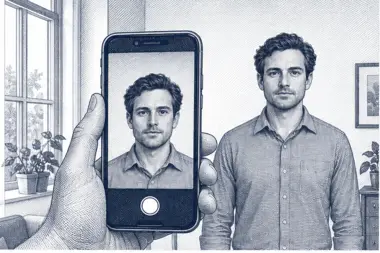 1. Take the picture
At home, against a plain wall, in daylight.
1. Take the picture
At home, against a plain wall, in daylight.
-
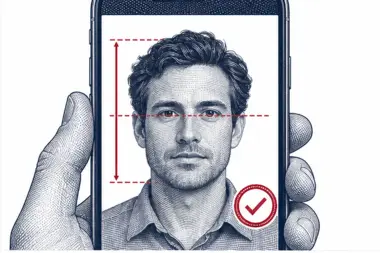 2. We check and crop
Head height, eye line and background are measured.
2. We check and crop
Head height, eye line and background are measured.
-
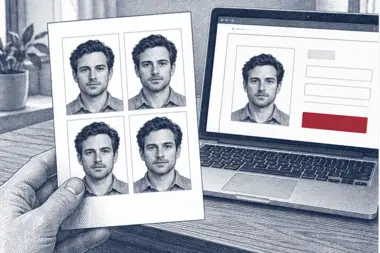 3. Download or print
A file for the upload form or a print sheet.
3. Download or print
A file for the upload form or a print sheet.
Why online visa photos get refused
- The photo is not 413 × 531 pixels, or it is square.
- The photo file is larger than 300 KB.
- The wall behind you is grey, patterned or shadowed.
- You are wearing glasses, a cap or a headband in the photo.
- The head is too small, off centre or cropped.
- The photo is blurred, dark or edited with a filter.
- The photo was cut out of your passport rather than taken new.
Our check catches the size, head position and background problems before you download the visa photo. It cannot tell how old a photo is, so take a new one for each Brazil visa application.
Visa photo examples: good and bad photos
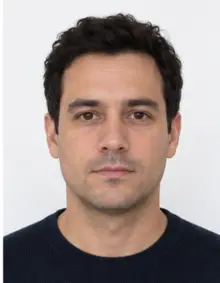
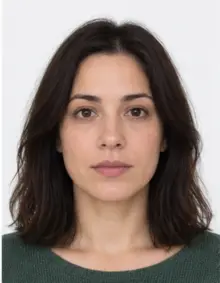
- Good photo: centred face, head filling about 70% of the height, white wall, soft daylight, no glasses. This is the visa photo our tool aims for.
- Bad photo, square crop: a 2 × 2 inch passport-style photo uploaded to the online form.
- Bad photo, glasses: thin frames are still glasses and are not accepted.
- Bad photo, shadow: a ceiling lamp left a dark patch on the wall behind the head.
- Bad photo, too far: the face is small and the photo shows half of the body.
- Bad photo, wrong file size: a phone photo of 4 MB is far over the online limit.
- Bad photo, filter: a beauty app smoothed the skin and changed the shape of the face.
Tips for a sharp phone photo
- Wipe the camera lens before you start.
- Turn off the flash and any beauty mode on the phone.
- Leave room around your head and shoulders; we can crop a photo, but we cannot add what the camera missed.
- Take several photos and upload the sharpest one.
- Send the original photo file, not a copy compressed by a messaging app.
- For a child, take several shots and keep the one with open eyes. Each traveller, babies included, needs their own Brazil visa application and their own visa photo.
Checklist before the online upload
- Photo size 413 × 531 px, colour, JPEG, 300 KB or less
- White background with no shadow
- Face centred, straight, neutral, ears visible
- No glasses and no head covering
- A recent photo, not one copied from your passport
- The downloaded photo file itself, not a screenshot
If every line is true, your Brazil visa photo is ready for the online form.
Online visa photo vs a printed photo
The online and paper routes ask for different things. The online visa photo is a digital file measured in pixels, 413 × 531, and it never gets printed. A consulate application uses a printed photo measured in inches, in a square size. Mixing the two up is a common mistake: a printed photo scanned for the online form ends up in the wrong size, and a portrait file is not what a consulate expects. Decide how you will apply for your Brazil visa first, then pick the matching visa photo here.
How to check the visa photo size yourself
On a computer, open the file properties: the dimensions should read 413 × 531 and the file size must not go above 300 KB. On a phone, most gallery apps show the size under the photo details. If you edited a visa photo in another app, check again, because saving it can change both the pixel size and the file size. Never stretch a photo to reach the online size, since that distorts the face. Upload the original photo here instead and let the tool resize it.
One visa photo for tourism and business trips
The Brazil visa online form uses one photo standard for every applicant on this route, whether you travel for a holiday or for work meetings. The online visa photo size, the white background and the no-glasses rule do not change with the purpose of the trip. What can differ is the list of supporting documents you upload online next to the visa photo, so read the instructions on the eVisa website before you start.
Free visa photo or premium processing
The free download already meets the online size and background rules for the Brazil visa. Premium processing is an optional paid extra: we correct light and colour, and a person on our team reviews the Brazil visa photo before you get it. If the reviewer spots a problem that only a new photo can fix, you can upload another photo at no extra cost.
| Feature | Standard photo | Premium photo |
|---|---|---|
| 413 × 531 px visa photo size | Yes | Yes |
| White background | Yes | Yes |
| File under 300 KB | Yes | Yes |
| Light and colour correction | No | Yes |
| Manual review by our team | No | Yes |
Related documents
Applying at a consulate instead of online? The paper Brazil visa uses a different, printed photo size, and we can make a print sheet for it from the same upload. Renewing a Brazilian passport needs its own photo format too, so choose that document from our list rather than reusing the online visa photo.
Frequently asked questions
What size is the Brazil visa photo online?
413 × 531 pixels, portrait, in colour with a white background, and no heavier than 300 KB.
Can I wear glasses in a Brazil visa photo?
No. The eVisa checklist asks for a photo without glasses or head coverings.
Can I take the visa photo with my phone?
Yes. Shoot the photo in daylight against a light wall, then upload it here; we crop it to the online visa size.
Is the visa photo free?
Yes, the digital visa photo is free to download. Premium processing with a manual review is optional and paid.
Can I use a 2 × 2 inch passport photo online?
No. The online form expects a taller portrait photo of 413 × 531 pixels, so a square photo will not match the size.
Do I need a printed photo for the eVisa?
No. The online route only needs the digital visa photo uploaded to the form.
Why does the online form reject my Brazil visa photo?
Usually the photo is the wrong size, the file is over 300 KB, the background is not white or glasses are visible.
How long does it take to get the visa photo online?
A few seconds after the upload. You can download the visa photo right away and attach it to the online form.