China Passport Photo Online (Old Format)
Chinese citizens who apply for a passport online send a digital passport photo instead of a paper print. This page makes the older version of that photo: a JPEG of 354 × 472 pixels on a plain white background. Upload a photo from your phone, and we crop it, clean up the background and measure the head before you download your China passport photo.
| Size | 354 × 472 px |
|---|---|
| Head height | 356 px |
| Background | white |
| File size | up to 80 KB |
| Use | digital upload |
China passport photo size in the old online format
The old format is a small photo with tight limits. The photo must be 354 pixels wide and 472 pixels tall, saved as a JPEG of no more than 80 KB. Because this passport photo only ever lives on a screen, there is no print resolution to worry about: the system looks at the pixel size and the file weight of the photo, nothing else.
- Photo size: 354 × 472 px, JPEG
- File size: 80 KB at most
- Head height: about 356 px from the chin to the top of the hair
- Eye line: about 262 px above the bottom edge of the photo
- Background: plain white
- Use: digital upload only, the photo is never printed
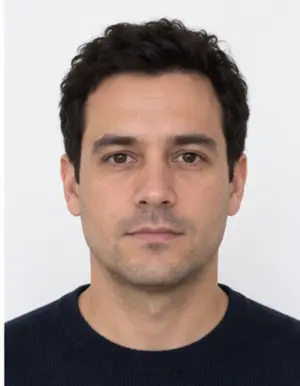
Framing the face in a Chinese passport photo
In this format the head is large: it fills roughly three quarters of the photo height. Look straight at the camera, keep your shoulders level and your chin neither raised nor tucked. Both eyes must be open and the mouth closed. Hair should stay clear of the eyebrows and eyes, and the whole outline of the face, from the hairline to the chin, has to be visible in the photo. A tilted or turned head is one of the most frequent reasons a passport photo comes back.
Background, light and clothing
A Chinese passport photo submitted from abroad needs a plain white background with no shadow behind the head. Any light wall at home will do for the photo, because our tool replaces it with even white. Soft daylight from the front keeps both sides of the face equally bright in the passport photo.
Choose a dark or coloured top. White, cream and beige clothes melt into the background and make the outline hard to read. Skip hats, headphones and tinted lenses; plain glasses are safer off than on for a passport photo.
-
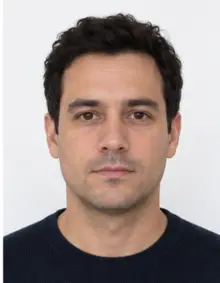 Accepted
-
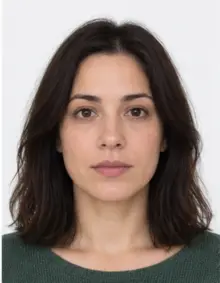 Accepted
-
 Smiling
-
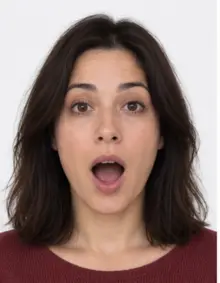 Mouth open
-
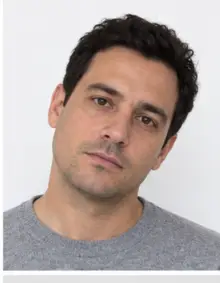 Head tilted
-
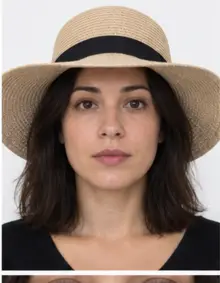 Fashion hat
-
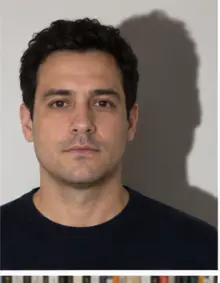 Shadow behind
-
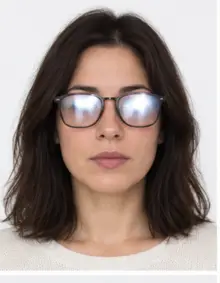 Glare on glasses
-
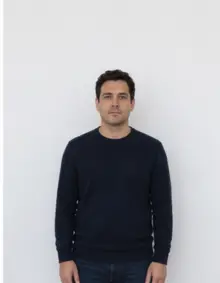 Too far away
-
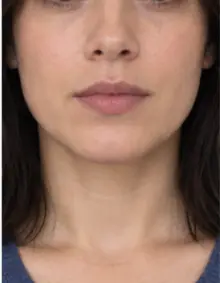 Head cut off
-
 Busy background
-
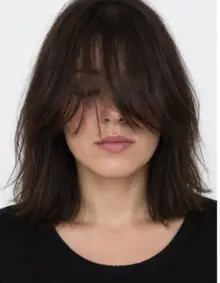 Hair over eyes
The people in these examples are AI-generated.
How to make a China passport photo online
- Take a photo. Stand a little away from a wall and have someone hold the phone at eye level. A timer on a shelf works too.
- Upload the photo. Pick the China passport online old format in the form above and add the photo from your gallery.
- Check the result. We resize the photo to 354 × 472 pixels, set the white background and verify the head height and eye line.
- Download the JPEG. The digital China passport photo is free, kept under 80 KB and ready to upload.
If the check finds something we cannot fix, such as closed eyes or a tilted head, take a new photo and upload it again. Each new passport photo is checked the same way.
Where the China passport photo is submitted
Chinese citizens living abroad renew a Chinese passport through the consular services of the Ministry of Foreign Affairs, now mostly in the 中国领事 (China Consular) app. The passport application asks you to attach a photo along with a scan of your current passport, and the system compares your face with the record. Older versions of the online application forms used this 354 × 472 pixel size. If the form you open asks for a different size in pixels, choose that format instead, since a China passport photo in the wrong size is refused at the upload step.
-
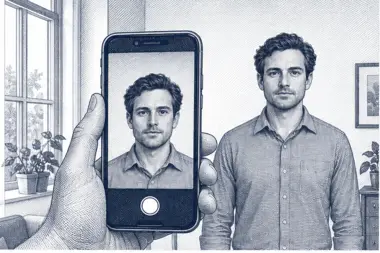 1. Take the picture
At home, against a plain wall, in daylight.
1. Take the picture
At home, against a plain wall, in daylight.
-
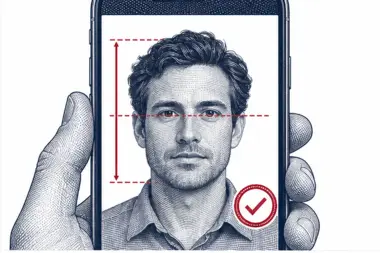 2. We check and crop
Head height, eye line and background are measured.
2. We check and crop
Head height, eye line and background are measured.
-
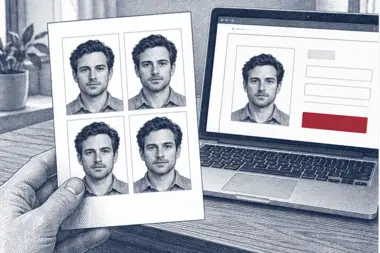 3. Download or print
A file for the upload form or a print sheet.
3. Download or print
A file for the upload form or a print sheet.
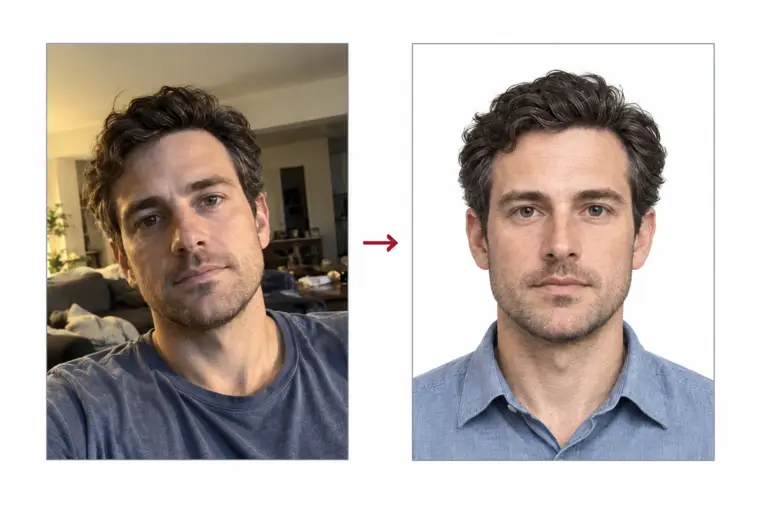
Common reasons a passport photo is refused
- The photo file is larger than 80 KB, or not a JPEG.
- The photo is smaller than 354 × 472 pixels.
- The head is too small, cut off at the top or off centre.
- Shadows on the wall or on one side of the face.
- Light clothing that blends into the white background.
- Closed eyes, a smile with teeth, or glare on glasses.
- Filters or beauty effects that change the face in the photo.
Our check measures the size, the head and the background of every China passport photo. It cannot tell whether a photo is recent, so take a fresh one for each passport application.
Examples of good and bad passport photos
- Good photo: face centred, head filling most of the frame, white background, even light.
- Bad photo, too far away: the head takes up half the height, so the eye line sits too high.
- Bad photo, side light: a lamp on one side leaves half the face in shadow.
- Bad photo, beige sweater: the shoulders disappear into the background.
- Bad photo, screenshot: a re-saved copy loses quality and no longer matches the size.
- Bad photo, old picture: a passport photo from years ago no longer looks like you.
Tips for a better source photo
Use the phone's main camera rather than a photo copied from a messenger, which is compressed. Leave room above the hair and below the chin: we can crop a wide photo but cannot add what is missing. Take a few photos and upload the sharpest. For a child the passport photo rules are the same; a baby can lie on a white sheet and be photographed from above.
Checklist before you upload the passport photo
- JPEG photo of 354 × 472 pixels, under 80 KB.
- Colour photo taken in the last six months.
- Plain white background without shadows.
- Neutral face, eyes open, mouth closed, head straight.
- Clothing in a colour that stands out from white.
- The downloaded photo itself, not a screenshot of it.
When every point is ticked, your China passport photo is ready for the Chinese passport application.
Free photo or premium processing
The free China passport photo covers what the online system checks: the photo size in pixels, the file weight, the white background and the head position. With optional premium processing we also correct light and colour in the photo, and a member of our team reviews the passport photo by hand. If the reviewer spots a problem that only a new photo can fix, you upload another one at no extra cost.
| Feature | Free photo | Premium photo |
|---|---|---|
| 354 × 472 px China passport photo | Yes | Yes |
| White background | Yes | Yes |
| JPEG under 80 KB | Yes | Yes |
| Light and colour correction | No | Yes |
| Manual review of the passport photo | No | Yes |
Related Chinese photo documents
A paper Chinese passport application at a consulate needs a printed 33 × 48 mm passport photo, which is a separate document in our list. The China visa photo and the Chinese Resident Identity Card photo also have their own size and background rules, so a China passport photo made here is not meant for them. Pick the right document before you upload, and the same photo can be reused for each one.
Frequently asked questions
Which pixel size does the old China passport photo use?
354 × 472 pixels, JPEG, no larger than 80 KB, with a plain white background.
Can I print this China passport photo?
No. It is a screen-only photo. For a paper passport application, choose the printed 33 × 48 mm format.
Can I take the passport photo with my phone?
Yes. Use daylight, a plain wall and a neutral face; we crop the photo and make the background white.
Is the China passport photo free?
The digital photo is free to make and download. Premium processing with a manual review is optional and paid.
Why was my passport photo rejected online?
Usually because the photo file is over 80 KB, the pixel size is wrong, or the background has shadows.
Can I use a photo from my old Chinese passport?
No. The passport photo must be recent, taken within the last six months.