Russian International Passport Photo
The international passport of Russia, often called the zagranpasport, needs a 35 × 45 mm photo with a plain white background and a large, centred face. Take a photo with your phone, upload it here, and we crop it to the Russian standard, clean up the background and check the framing, so you get a passport photo file for the Gosuslugi form online and a version you can print.
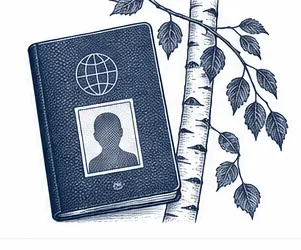
| Size | 35 × 45 mm |
|---|---|
| Head height | 33 mm |
| Background | white |
| Resolution | 600 dpi |
| File size | up to 300 KB |
| Use | digital upload and print |
Photo size and rules for the Russian international passport
Every Russian international passport photo has the same frame: 35 mm wide and 45 mm tall. Inside that frame the head is large. Measured from the chin to the top of the head it takes about 33 mm, and only a narrow strip of about 3 mm stays free between the crown and the upper edge. Below the chin there is room for the neck and the top of the shoulders. A passport photo for Russia that keeps these proportions looks the same whether it is printed or sent online.
For an application on gosuslugi.ru the passport photo is a digital file rather than a print. The portal expects a colour JPEG no heavier than 300 KB. Our file meets that limit, and the print version is prepared at 600 DPI so the photo stays sharp at this small size.
- Frame: 35 mm wide by 45 mm tall
- Head: roughly 33 mm, chin to crown
- White gap over the head: roughly 3 mm
- Background: plain white, even, without shadow
- Digital file: colour JPEG, up to 300 KB
The photo size of the Russian document is not the same as the size used by many other countries, so an old passport photo printed for a visa or a foreign ID rarely fits. Make a new photo in the Russian size instead; Russian offices do not accept a print that was trimmed by hand.
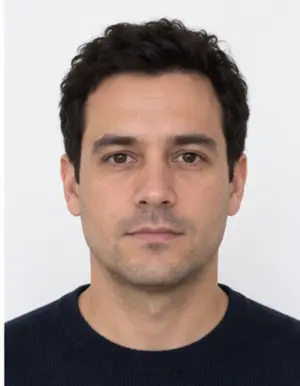
How the face should sit in the frame
Look straight at the camera with your head upright, not tilted to a shoulder or raised towards the ceiling. The face should be in the middle of the photo, with the whole head visible from chin to hair. Russian offices refuse photos where the face is turned, where hair falls over the eyes, or where the top of the head is cut off.
Keep a calm, neutral face: eyes open, mouth closed, no broad smile. If you wear glasses all the time you may keep them for the passport photo, provided the lenses are clear, nothing reflects in them and the frame does not cross the eyes. Tinted lenses are not accepted for a photo in the Russian document.
Background, light and clothing
The background behind your head must be white and uniform. You do not need a white wall at home: any plain, light surface works, because our tool replaces it and removes the shadow that often appears around the shoulders. What we cannot fix is a face that is half in shadow, so stand facing a window in daylight and switch off a lamp that shines from the side.
Russian rules say little about clothing. Choose ordinary clothes in a colour that contrasts with white. Hats and caps are not allowed in the passport photo. A head covering worn for religious reasons is accepted in Russia if the oval of the face is fully open, from the forehead to the chin.
-
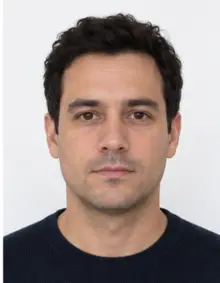 Accepted
-
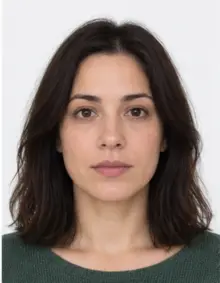 Accepted
-
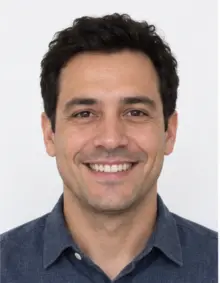 Smiling
-
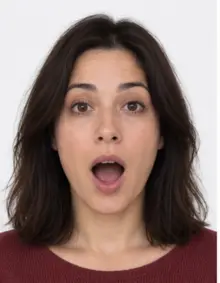 Mouth open
-
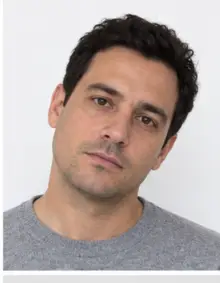 Head tilted
-
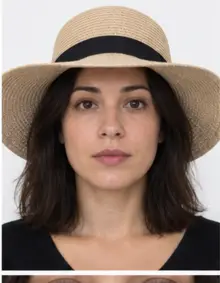 Fashion hat
-
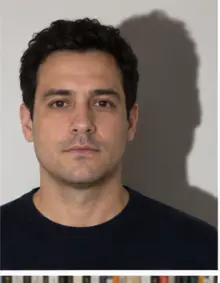 Shadow behind
-
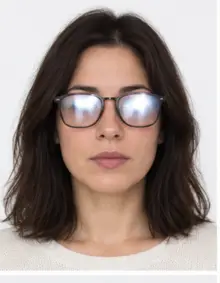 Glare on glasses
-
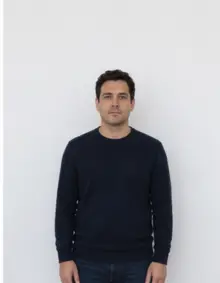 Too far away
-
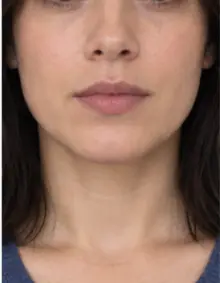 Head cut off
-
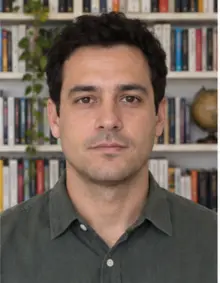 Busy background
-
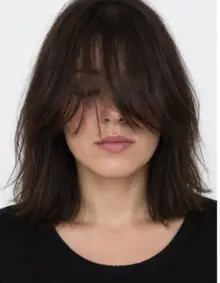 Hair over eyes
The people in these examples are AI-generated.
Making the passport photo online with our tool
- Take a photo. Ask a friend to shoot from about a metre and a half at eye level. Leave space around the head and shoulders.
- Upload it. Pick Russia International Passport in the form above and upload the photo from your phone or computer.
- See the result. We bring the photo to the Russian 35 × 45 mm format and size, place the head at the right height, make the background white and run a compliance check on pose, eyes and sharpness.
- Download. The digital passport photo is free. Use it for the online form, or order a print sheet with several copies of the passport photo on one page.
If the check finds something an edit cannot solve, such as closed eyes or a strong tilt, take a new passport photo and upload it again. It costs nothing to try again, and the whole process runs online in a minute or two.
Where to submit the photo in Russia
Citizens of Russia, adults and children alike, can apply for the international passport in two ways. The first is online, through the State Services portal at gosuslugi.ru, where you fill in the form and attach the digital passport photo. The second is in person, at a passport department of the Russian interior ministry (MVD) or at a multifunctional service centre that takes passport applications.
There are two versions of the document. The biometric one has a chip and is valid for ten years; for it the office usually takes a photo of you on the spot when you hand in the papers. The older version without a chip is valid for five years and is issued with the photos you supply. Ask your office which passport photos it needs before you go, because local practice in Russia can vary.
Russian citizens who live abroad usually apply through a Russian embassy or consulate. Consular sections set their own lists of documents, so check the website of the consulate that serves your area before you print the passport photo. Some Russian consulates still ask for printed photos even for the biometric version.
-
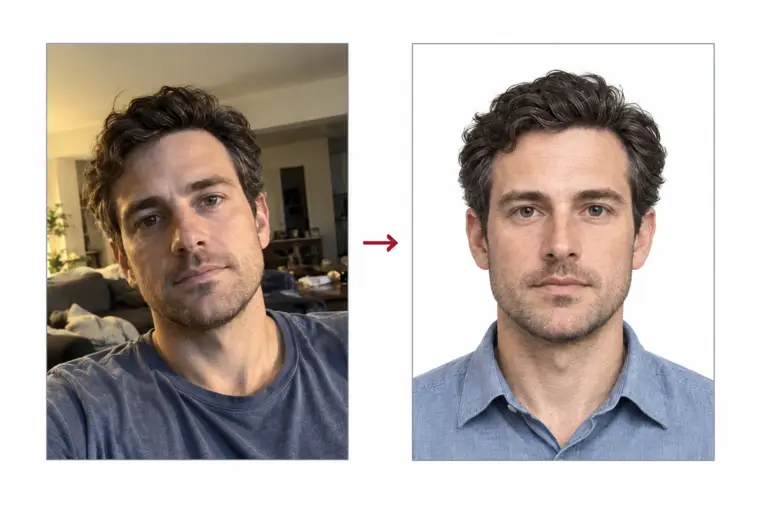
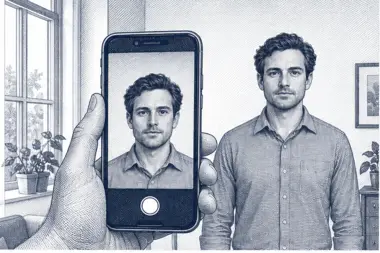 1. Take the picture
At home, against a plain wall, in daylight.
1. Take the picture
At home, against a plain wall, in daylight.
-
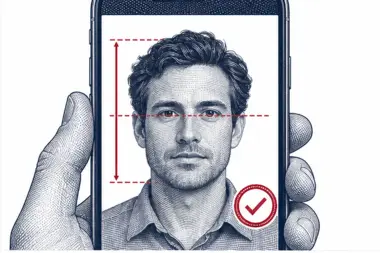 2. We check and crop
Head height, eye line and background are measured.
2. We check and crop
Head height, eye line and background are measured.
-
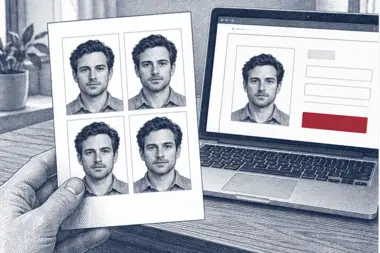 3. Download or print
A file for the upload form or a print sheet.
3. Download or print
A file for the upload form or a print sheet.
Uploading the photo to Gosuslugi
After you attach the file, Gosuslugi opens a crop window. At the moment the guide line for the top of the head in that window is placed incorrectly, so do not move or resize the frame: press Save under the photo straight away. The file you get from us already has the correct Russian head height and margins, and cropping it again only spoils them.
Sometimes the portal reports an error while it checks the photo or the attachment. That message comes from the site itself, not from your passport photo. Sign out, clear the cookies and history of your browser, sign back in and attach the same file again. Another browser or another device usually solves it as well.
Common reasons the photo is refused
- The head is too small, too large or not centred in the 35 × 45 mm frame.
- The background is grey, coloured or shows a shadow.
- The face is blurred, too dark or overexposed.
- The eyes are closed, hidden by hair or by glare on glasses.
- The person smiles widely or the mouth is open.
- The passport photo was changed with beauty filters.
- The file is heavier than 300 KB, or it was cropped again in the Gosuslugi window.
Our compliance check looks at photo size, head position, background and sharpness. It cannot tell how old a photo is, so use a recent one that shows how you look today. Russian rules expect the passport photo to match the holder at the moment of the application.
Examples of good and bad passport photos
- Good: the face is in the centre, the head fills most of the height, the white background is even and the light is soft. This is the passport photo our tool produces.
- Bad, too far away: the person stood far from the camera and the face is small.
- Bad, shadow on the wall: a lamp behind the camera left a dark outline next to the head.
- Bad, cropped crown: the top of the hair is cut by the edge of the frame.
- Bad, glare: light bounces off the glasses and hides the eyes.
- Bad, filter: smoothed skin and a reshaped face no longer match the real person.
- Bad, wrong size: a square photo from a social network does not fit the 35 × 45 mm frame.
Tips for a good passport photo at home
- Stand half a metre from a light, plain wall or a door.
- Face a window in daylight and do not use the flash.
- Hold the phone straight at eye level, or ask someone else to take the photo.
- Take a few shots and upload the sharpest photo.
- Send the original file, not a copy compressed by a messenger.
Children who are Russian citizens need their own international passport and their own passport photo. The same size and background rules apply; for a baby, lay them on a white sheet and shoot from above. Our background check removes the folds of the sheet.
Checklist before you apply
- The passport photo is 35 × 45 mm with the head about 33 mm tall.
- The background is plain white without shadows.
- The face is straight, centred and neutral, with both eyes open.
- The photo is recent, sharp and in colour.
- The digital file is a JPEG under 300 KB for Gosuslugi.
- You will press Save in the crop window without changing the frame.
When every point is ticked, the passport photo is ready for the Russian application, online or on paper, anywhere in Russia.
Free photo or premium processing
The free Russian passport photo already has the right size, the white background and the file weight the portal accepts. Download it and attach it online, or print it.
Premium processing is optional and paid. We correct light and colour, and a member of our team reviews the passport photo by hand against the Russian requirements. If the reviewer sees a problem that only a new photo can fix, you can upload another one at no extra cost.
| Feature | Free | Premium |
|---|---|---|
| 35 × 45 mm format for Russia | Yes | Yes |
| White background | Yes | Yes |
| JPEG under 300 KB | Yes | Yes |
| Light and colour correction | No | Yes |
| Manual review by our team | No | Yes |
Why Russia is strict about the photo
The passport photo is printed on the data page and, in the biometric version, stored on the chip. Border officers in Russia and in other countries compare it with your face, and automatic gates do the same. A photo with the wrong size, a small face or heavy retouching makes that comparison harder, which is why Russian offices check the passport photo closely before they accept the papers. Our processing changes only the background, the crop and the size; it never reshapes the face.
Related Russian documents
The international passport is not the same as the internal passport that Russians use as an ID inside the country. The internal document has its own photo rules, so choose it separately in our list. Foreigners travelling to Russia need a Russian visa photo or an e-visa photo instead, which also follow different requirements.
Frequently asked questions
Which photo size does the Russian international passport use?
The Russian frame is 35 × 45 mm. The head fills roughly 33 mm of it, with a white gap of roughly 3 mm over the crown.
Can I use this photo on Gosuslugi?
Yes. The passport photo is a colour JPEG under 300 KB, as the Russian portal asks. When Gosuslugi shows its crop tool, leave the frame alone and click Save.
Is the passport photo free?
The digital passport photo and the compliance check are free. Premium processing with a manual review is an optional paid extra.
Can I wear glasses in the photo for the Russian zagranpasport?
Only if you wear them all the time, the lenses are clear and there is no glare over the eyes.
Do I need printed photos for the biometric passport?
Offices in Russia usually photograph you on the spot for the biometric version. Ask your office, since rules for the older version differ.
Can I take the passport photo with my phone?
Yes. A phone photo in daylight against a plain wall is enough. We fix the size, the crop and the background online.
Can I crop or edit the photo after downloading it?
Please do not. Our passport photo already has the Russian head height and margins, and a second crop can push it out of the rules.
What if Gosuslugi shows an error during the upload?
That is a fault on the portal side, not a problem with the photo. Log out, delete the cookies and browsing history, log in once more and retry, or switch to another browser or device.