Thailand Visa Photo Online
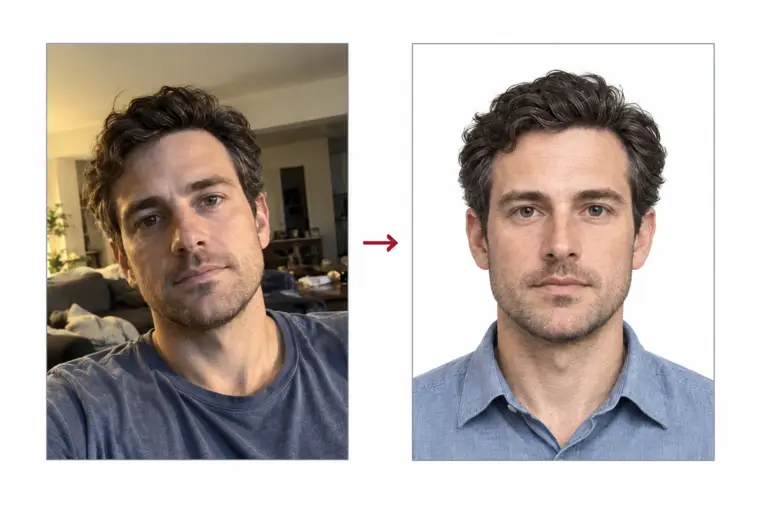
The Thai e-Visa form asks you to attach a recent colour photo of your face in the 3.5 × 4.5 cm photo size. Upload a photo from your phone and we turn it into a Thailand visa photo online: the photo is cropped to the right size, the background becomes plain and light, and the head position is measured before you download the visa photo.
| Size | 35 × 45 mm |
|---|---|
| Head height | 34.5 mm |
| Background | light gray |
| Resolution | 600 dpi |
| Use | digital upload and print |
Thailand visa photo size and basic rules
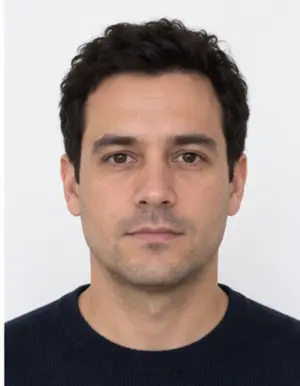
A Thailand visa photo is a portrait rectangle 35 mm wide and 45 mm tall. In our photo template the head, measured from the chin up to the crown, is around 34.5 mm, and roughly 3 mm of background stays between the hair and the upper edge of the photo. That is a tight crop: the face takes up most of the visa photo and only the top of the shoulders shows. The sample photo published on thaievisa.go.th, the e-Visa portal of the Thai Ministry of Foreign Affairs, shows the same close framing, so compare your visa photo with it.
The online form checks the photo you attach, and a visa photo in the wrong size or with a small face can delay the application. Our tool sets the Thailand visa photo size for you, so you never have to measure millimetres by hand. For a paper copy, the same photo prints at 600 DPI, which is about 827 × 1063 pixels for this size.
- Photo size: 35 × 45 mm, a portrait photo
- Head size in the photo: around 34.5 mm
- Gap above the hair: roughly 3 mm
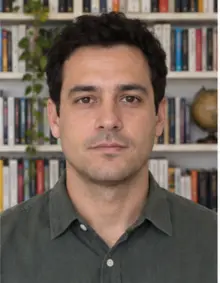
- Background of the photo: plain and light, no pattern or shadow
- A colour photo, recent, sharp and not retouched
Framing and pose in a Thai visa photo
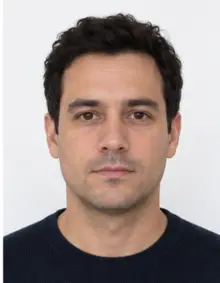
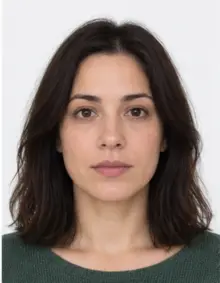
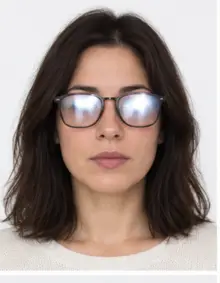
Look straight at the lens with your head level, not turned or tilted. The whole face must sit inside the photo, from the chin to the hairline, with both eyes open and clearly visible. Keep the mouth closed and the expression neutral; a wide smile is a common reason to retake a visa photo. Hair should not fall over the eyes. Glasses often spoil a visa photo because of glare and thick frames, so the simplest option is to take them off before the photo is taken.
Background, light and clothing
The visa photo background must be one even, light tone with no objects, patterns or shadows behind you. Our photo template uses a very light grey. You can take the photo against any wall at home: the tool replaces the background and removes the shadow line around the head and shoulders.
Light the face from the front, ideally by facing a window during the day. A ceiling lamp or a flash leaves dark areas under the eyes and shine on the forehead of the photo. Wear ordinary clothes in a darker colour so your outline stays clear against the pale background. Hats, caps and sunglasses do not belong in a visa photo; a head covering worn for religious reasons is fine when the full face shows.
-
 Accepted
-
 Accepted
-
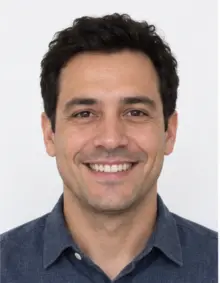 Smiling
-
 Mouth open
-
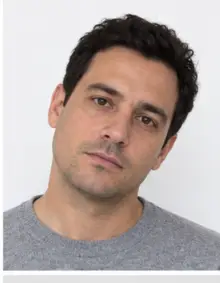 Head tilted
-
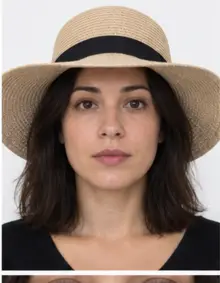 Fashion hat
-
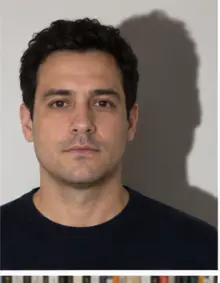 Shadow behind
-
 Glare on glasses
-
 Too far away
-
 Head cut off
-
 Busy background
-
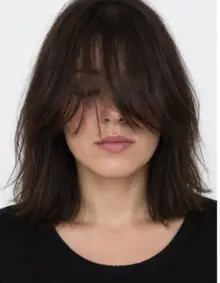 Hair over eyes
The people in these examples are AI-generated.
How to make a Thailand visa photo online with our tool
- Take a photo. Ask a friend to hold the phone at eye level about 1.5 m away, or use the timer. Leave space around your head so the photo can be cropped to size.
- Upload the photo online. Pick Thailand visa online in the form above and send the JPG, PNG, HEIC, PDF or other image file.
- Check the visa photo. We crop it to the Thailand visa photo size, set the light background and run a compliance check on head size, position and sharpness.
- Download it. The digital visa photo is free. If the check flags something it cannot fix in the photo, like closed eyes, take a new photo and upload it again.
The whole process runs online in the browser and takes a few seconds per photo.
Where to submit the visa photo
Applications for the Thailand visa online go through the official portal, thaievisa.go.th. You create an account, fill in the online form, and attach scans of your documents along with the visa photo. Keep the photo we give you as it is: resizing it again or taking a screenshot of the photo lowers the quality. If a Thai embassy asks for a paper photo instead, print the same visa photo at 35 × 45 mm.
-
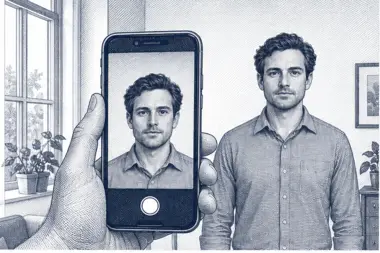 1. Take the picture
At home, against a plain wall, in daylight.
1. Take the picture
At home, against a plain wall, in daylight.
-
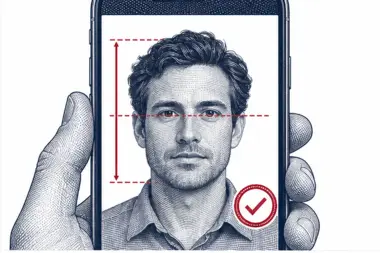 2. We check and crop
Head height, eye line and background are measured.
2. We check and crop
Head height, eye line and background are measured.
-
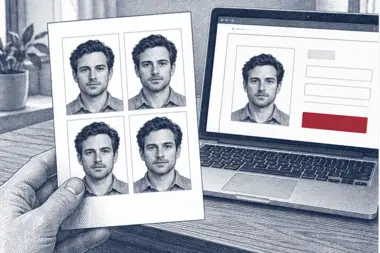 3. Download or print
A file for the upload form or a print sheet.
3. Download or print
A file for the upload form or a print sheet.
Common reasons a Thailand visa photo is refused
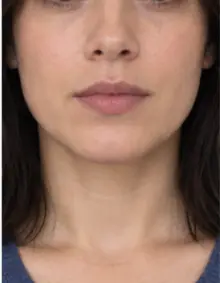
- The photo size is not 35 × 45 mm, or the head in the photo is far too small or cut off.
- The photo background is busy, dark or has a shadow.
- The photo is blurry, grainy or too dark.
- The face is turned, tilted or partly hidden by hair or glasses.
- A smile with teeth showing, or closed eyes in the photo.
- Filters or beauty retouching changed the face in the photo.
- The photo is old and no longer looks like you.
Our online check covers the size, the framing and the background of every visa photo. It cannot tell how old a photo is, so always start from a new one.
Visa photo examples
- Good visa photo: centred face, head around 34.5 mm tall, light even background, soft front light.
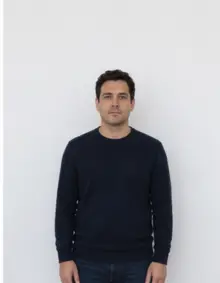
- Bad photo, too far away: the face fills less than half of the photo.
- Bad photo, shadow: a dark halo on the wall behind the head.
- Bad photo, glare: reflections on the lenses hide the eyes.
- Bad photo, scan of a print: an old paper photo scanned for the online form looks soft and faded.
- Bad photo, wrong size: a square photo made for another country does not fit the Thai visa photo size.
Tips for a good visa photo at home
- Stand half a metre in front of a light wall; a door or a sheet also works as a photo backdrop.
- Face a window, switch off the flash and avoid direct sunlight on the face.
- Hold the camera straight at eye level. A selfie at arm's length can distort the nose in the photo.
- Take several photos and upload the sharpest original, not a copy sent through a messenger app.
- Pull your hair back from the face and check that your eyebrows and eyes stay uncovered.
- Clean the camera lens with a soft cloth first; a smudge makes the whole visa photo look hazy.
- Wait for a calm moment and breathe out before the shot, so the expression stays relaxed and natural.
Checklist before you upload the photo online
- Photo size of 35 × 45 mm, head around 34.5 mm tall.
- Plain light background with no shadows.
- Neutral face, eyes open, mouth closed, head straight.
- Recent colour photo with no filters.
- You saved the original photo, not a screenshot.
With every item ticked, your Thailand visa photo is ready for the online application.
Free visa photo or premium processing
The free version gives you the correct photo size, the light background and the automatic check. That is all most applicants need. Premium processing is an optional paid step: we correct uneven light and colour in the photo, and a person on our team reviews the visa photo against the Thai rules. If the reviewer spots a problem that only a new photo can solve, you upload another photo at no extra cost. You can also order a print sheet with several copies of the Thailand visa photo.
About the Thailand visa online
The Thailand visa online, usually called the Thai e-Visa, replaces the paper visa form for many travellers. The application is made on thaievisa.go.th, the official site run by the Ministry of Foreign Affairs of Thailand. You choose the visa category, enter your passport and travel details, attach the required scans and pay the fee online. The approved e-Visa arrives by email. You attach the visa photo early in the Thailand visa application, so it helps to have it ready before you start.
Which visa you need, and whether you need one at all, depends on your nationality and the purpose of the trip. The photo rules stay the same across categories: a tourist visa, a business visa or a long-stay visa all use the same Thailand visa photo size. Check the current rules for your passport on the official Thailand visa online portal before you apply.
Photo size in pixels and printing
The size of a visa photo is given in millimetres, so the pixel size depends on the print resolution. Our template is printed at 600 DPI, so the 35 × 45 mm photo works out to roughly 827 × 1063 pixels, enough detail for the online upload and for a sharp print. If a Thai embassy or consulate asks for printed photos, choose a print sheet: it places several copies of the visa photo on one standard photo paper size, ready to cut. Print it at 100% scale, never "fit to page", and check one photo with a ruler: it should be 35 mm wide and 45 mm tall.
Photos of children for a Thailand visa
Each traveller needs their own visa photo, babies included. The same size and background rules apply, but parents can expect some tolerance with very young children. The eyes should be open, and no hand, toy or other person may appear in the photo. Lay a baby on a light sheet and take the photo from above; the online tool evens out the background and crops the photo to the Thailand visa photo size.
Why a recent, unedited photo matters
An officer compares the face in your application with your passport and, later, with the person standing at the border. A photo taken years ago, or one smoothed by a beauty filter, makes that comparison harder and can lead to a request for a new photo. Haircuts, a beard grown or removed, or a big change in weight are all good reasons to take a fresh one. Our processing changes only the background, the crop and the size; it never reshapes your face. The premium option adjusts light and colour and nothing else.
It also pays to keep the original file. If anything goes wrong during the application, you can upload the same source photo again and get an identical result in seconds.
Related documents
A photo made for this e-Visa follows the Thai size only. Passports and visas of other countries use their own photo size and background rules, so pick the matching document from our list rather than reusing this visa photo.
Frequently asked questions
What size is a Thailand visa photo?
The photo size is 35 × 45 mm, which equals 3.5 × 4.5 cm. The head is around 34.5 mm tall, and roughly 3 mm of space is left above the hair.
What background does the Thai e-Visa photo need?
A plain, light background with no shadows or patterns. Our tool sets it in every photo.
Can I take the visa photo with my phone?
Yes. A phone photo in daylight is enough; we handle the crop, the size and the background.
Where do I upload my Thailand visa photo?
On thaievisa.go.th, together with the other documents, while you fill in the online form.
Is the visa photo free?
Yes, making and downloading the digital visa photo is free. Premium processing with a manual review is optional and paid.
Can I wear glasses in the photo?
It is safer to take them off, since glare or frames over the eyes can lead to a refusal.